The most important technical factors for successful digital signage projects
Choosing the right display is crucial to the success of a digital signage project. In addition to the right technology and size, brightness, resolution, and readability are particularly important. In this article, you will learn why these factors are so important, how to determine the right values for your customers, and which mistakes you should avoid at all costs.
Why is brightness so important in digital signage?
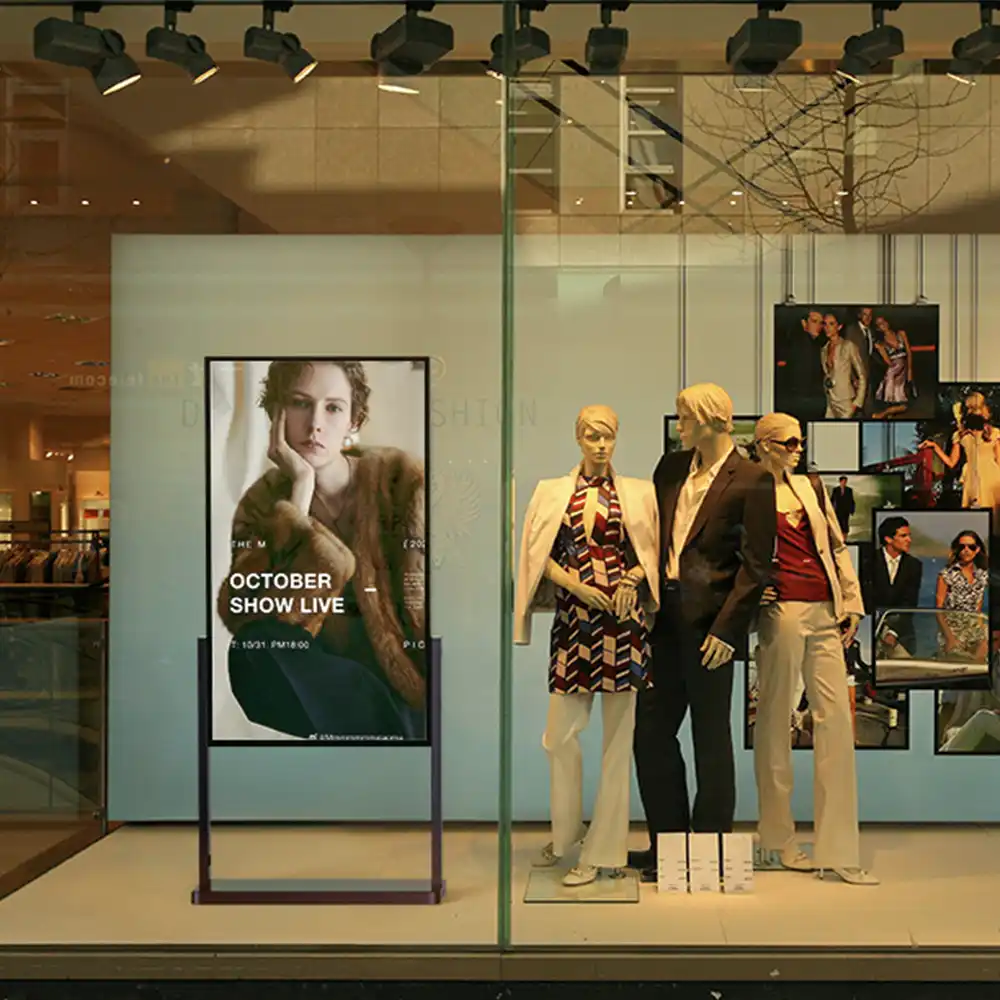
The brightness of a display is measured in nits (cd/m²) and determines how well content remains visible under different lighting conditions. High brightness is essential, especially in bright environments such as shop windows, foyers, or outdoors. A display that is too dark can render your investment worthless, as the content simply cannot be seen.
Guidelines for brightness:
- Indoor: 350–700 nits are usually sufficient. For offices, meeting rooms, or indoor areas without direct sunlight, a standard value is usually sufficient.
- Semi-outdoor (shop windows): 700–2,500 nits, depending on light incidence. High-brightness displays are essential here to remain visible even in daylight or direct sunlight.
- Outdoor: 2,500–7,000+ nits for maximum visibility, even in direct sunlight. Weatherproof outdoor displays are specially built for these requirements.
Practical example:
A fashion store uses a shop window display with only 500 nits. On sunny days, the content is barely visible—potential customers walk past without noticing the offer. After switching to a 2,500-nit display, attention and foot traffic in the store increase significantly.
Tip:
Choose displays with automatic brightness control to save energy and extend service life. The brightness then adjusts dynamically to the ambient conditions.
What role does resolution play?
The resolution indicates how many pixels the display can show. It affects image sharpness and detail accuracy—especially for text, fine graphics, or when viewed up close. The higher the resolution, the clearer and more appealing the content appears.
Common resolutions:
- Full HD (1920×1080): Standard for 32–55 inches, sufficient for many applications in retail, hospitality, or office environments.
- 4K Ultra HD (3840×2160): For large displays, video walls, or detailed content. Ideal for presentations, image videos, or infotainment.
- LED walls: Here, the pixel pitch (distance between pixels) is crucial for the resolution and the recommended viewing distance. The smaller the pixel pitch, the higher the resolution and the closer the audience can stand to the display.
Rule of thumb:
The closer the audience is to the display, the higher the resolution or pixel density should be. For touch applications or information kiosks, at least Full HD is recommended, while for large video walls and presentation areas, 4K or a small pixel pitch (less than 2 mm) is advisable.
Practical tip:
Pay attention to the native resolution of the display and adjust the content design accordingly. Blurry or pixelated content looks unprofessional and reduces the impact.
What does readability mean and how can I ensure it?
Readability describes how well content—especially text—can be recognized and understood under real conditions. It is the interplay between technical quality and content design and plays a decisive role in the success of your messages.
Factors for optimal readability:
- Contrast: High contrast between text and background improves readability. Dark text on a light background (or vice versa) is usually most effective.
- Font size: At least 20–30 px for main text, larger fonts for greater distances. For headlines and important notices, it can be larger.
- Color selection: Ensure sufficient brightness differences; do not combine colors that are too similar. Avoid red-green combinations due to the color blindness of many users.
- Anti-glare: Anti-reflective coatings prevent annoying glare and reflections—particularly important for shop windows, foyers, and outdoor displays.
- Viewing angle: Look for displays with a wide viewing angle (at least 170°) so that content is clearly visible from all directions.
- Content structure: Short messages, bullet points, clear icons, and visual hierarchies help to grasp information quickly.
Practical example:
A hospital installs new information displays. Initially, the font size is too small and the colors lack contrast, making it difficult for patients to find their way around. After optimizing the displays with larger, high-contrast fonts and clear icons, visitors find it much easier to navigate and their feedback improves significantly.
Common mistakes when selecting brightness, resolution, and readability
- Insufficient brightness: Content is no longer visible in daylight or sunlight—particularly problematic for shop windows or outdoor applications.
- Resolution too low: Text and graphics appear blurred, especially when viewed up close or in fine detail. This detracts from the professional appearance and advertising impact.
- Incorrect content design: Fonts that are too small, poor color combinations, or too much text can detract from the overall effect. Less is often more!
- No anti-glare coating: Reflections render the display unusable from certain angles, making content "invisible."
- Incorrect viewing angle: Displays with too narrow a viewing angle are only clearly visible from the front—a real problem in busy locations.
Other technical factors for display selection
- Response time: Particularly important for interactive applications or fast-moving video content.
- Service life and operating hours: Professional digital signage displays are designed for 24/7 operation and last between 30,000 and over 100,000 hours.
- Robustness: Outdoor displays must be weatherproof (IP-certified), vandal-proof, and temperature-resistant.
- Energy consumption: Modern, energy-efficient displays save electricity and reduce operating costs—particularly important for large networks.
How to advise your customers correctly
1. Analyze the location:
How bright is the environment? Is there direct sunlight, changing light conditions, or strong reflections?
2. Determine viewing distance:
How far away are viewers typically standing? Larger displays and font sizes are required for large rooms or shop windows.
3. Coordinate content:
What type of content will be displayed? (Text, video, graphics, interactive applications) Do legal requirements (accessibility, mandatory information) need to be taken into account?
4. Select display:
Choose the appropriate brightness, resolution, anti-glare coating, and viewing angle. For outdoor use: pay attention to IP certification and robustness.
5. Optimize content:
Recommend clear, high-contrast content that is large enough. Plan regular updates and seasonal adjustments.
6. Recommend test installation:
A test installation is particularly worthwhile in critical locations in order to check the effect and legibility under real conditions.
Future trends: Thinking about technology and content together
Even the best hardware is of little use if the content is unreadable or the display remains invisible in everyday use. With the right combination of brightness, resolution, readability, and good content design, you can create lasting added value for your customers—and position yourself as a competent partner in digital signage sales.
Trends at a glance:
- Automatic brightness control: Saves energy and extends service life.
- 4K and 8K displays: For even sharper, more detailed content and immersive experiences.
- MicroLED and OLED: For maximum contrast, flexible formats, and new design possibilities.
- Interactive touch displays: For consulting, self-service, and personalized user experiences.
- AI-supported content delivery: Dynamic adaptation of content to target groups, time of day, or weather.
Practical examples from various industries
Retail:
Shop window displays with 2,500+ nits and anti-glare glass ensure maximum visibility of products, even in direct sunlight. Inside the store, 500–700 nits are usually sufficient.
Gastronomy:
Digital menu boards above the counter require high brightness and large, high-contrast fonts so that guests can see the offerings even from several meters away.
Business & Administration:
Reception displays and digital door signs benefit from flexible brightness and good readability, especially in changing light conditions in entrance areas.
Healthcare:
Waiting room TVs and patient call systems must be easily readable from different angles and in daylight—large font, high contrast, and anti-reflective coating are essential here.
FAQ – Frequently asked questions about brightness, resolution, and readability
How much brightness do I need for a shop window display?
At least 1,500–2,500 nits, or better still 3,000+ nits in direct sunlight. The brighter the surroundings, the more brightness is needed.
What resolution is best for large displays?
4K is recommended for displays larger than 55 inches, while pixel pitch is the decisive factor for LED walls. Rule of thumb: the smaller the pixel pitch, the closer you can get to the display.
What to do in case of strong reflection?
Choose anti-glare displays, adjust the orientation, and avoid sources of glare as much as possible. Conduct a test installation in critical locations.
How large should text be on digital signage displays?
At least 20–30 px, and larger for greater distances. Headlines and important information can be even larger.
How can I ensure readability for all target groups?
Accessible design (e.g., large font, clear contrasts, simple language) and regular user feedback help to make content accessible to everyone.
Conclusion: Technology, content, and consulting—the key to success
Successful digital signage projects thrive on the perfect balance between technology and content. With the right advice on brightness, resolution, and readability—and a content strategy that addresses your target audience and location—you can create visible added value for your customers. Invest in quality, test under real-world conditions, and remain open to new technologies—this will ensure your long-term success in the digital signage market.