Display basics: Screen types, sizes, and their areas of application
Why is choosing the right display so crucial?
The display is the heart of every digital signage solution. It plays a decisive role in how your messages are perceived, how attentively your target group responds, and whether your digital signage investment will be successful in the long term. It is therefore essential for resellers and end customers to understand the differences between the various screen types, their technical characteristics, and the appropriate areas of application.
An overview of the most important screen types
1. LCD (Liquid Crystal Display)
LCD displays are the standard in digital signage. They offer a wide range of sizes, high resolutions, and good value for money.
- Advantages:
- High image sharpness and color reproduction
- Low energy consumption
- Wide range of variants (e.g., with touchscreen, high brightness, outdoor suitability)
- Disadvantages:
- Limited viewing angles on low-cost models
- Limited brightness compared to LED
- Typical areas of application:
- Indoor applications: kiosks, information pillars, menu boards, meeting rooms
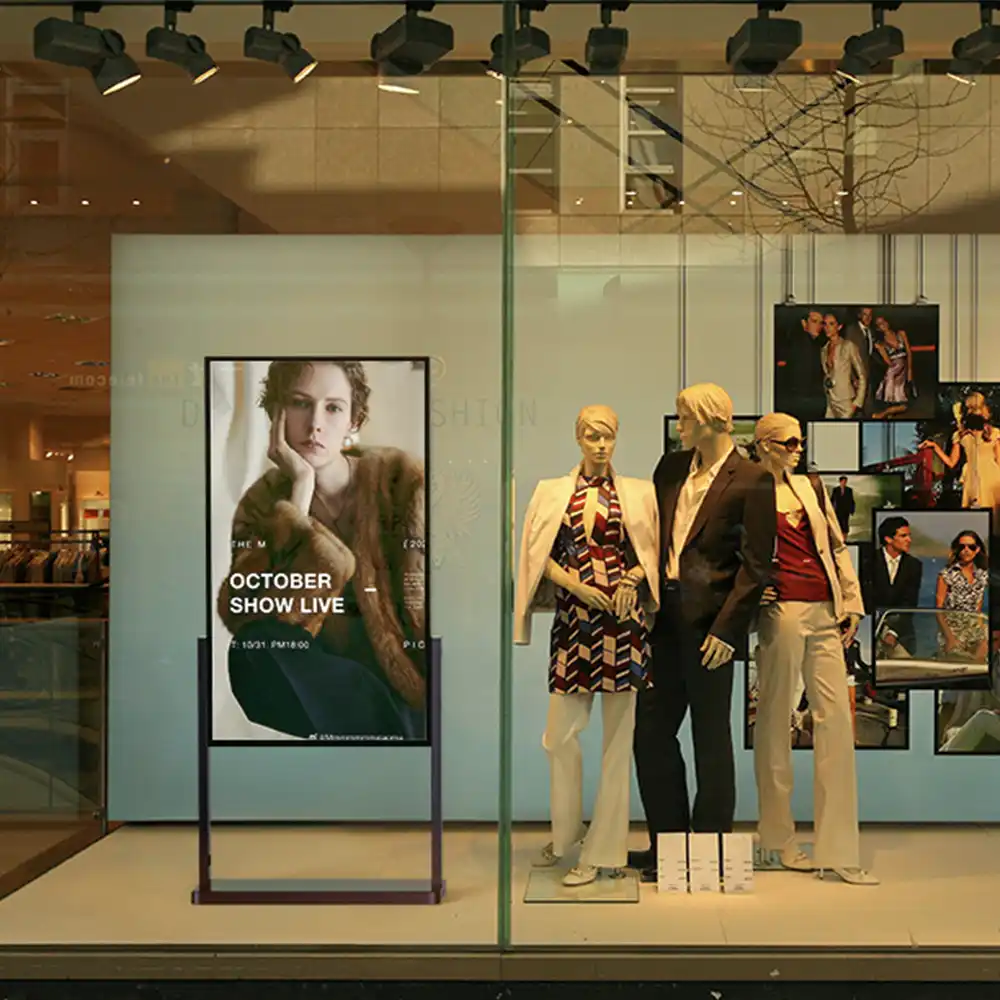
- Semi-outdoor: Shop windows (with high-brightness LCDs)
2. LED (Light Emitting Diode)
LED displays consist of self-illuminating diodes and are particularly suitable for large, eye-catching installations.
- Advantages:
- Extremely high brightness, even in direct sunlight
- Modular design – any size area possible
- Long service life, robust, and weatherproof
- Disadvantages:
- Lower resolution at large viewing distances
- Higher investment costs for fine-pitch LEDs
- Typical areas of application:
- Outdoor advertising spaces, LED walls, public viewing
- Large-scale indoor installations (e.g., airports, trade fairs, sports arenas)
3. OLED (Organic Light Emitting Diode)
OLED displays are the premium standard for brilliant image quality and extravagant design.
- Advantages:
- Perfect black, highest contrast
- Very thin, flexible, also suitable for curved or transparent displays
- High viewing angle stability
- Disadvantages:
- More expensive than LCD and LED
- Not suitable for outdoor use (sensitive to moisture and UV light)
- Typical areas of application:
- High-quality indoor installations, design solutions, interactive applications
4. MicroLED
MicroLED is an innovative technology that combines the advantages of LED and OLED.
- Advantages:
- Very high brightness, excellent contrast, no burn-in effects
- Modular and durable
- Extremely fine resolution possible
- Disadvantages:
- Still very expensive, mainly for high-end applications
- Typical areas of application:
- High-end retail, luxury hotels, large corporate installations
5. E-paper (electronic paper)
E-paper displays are ideal for static content that rarely needs to be updated.
- Advantages:
- Extremely low power consumption
- Best readability in daylight
- Paper-like display, very easy on the eyes
- Disadvantages:
- Only black and white or limited colors
- No animations or videos possible
- Typical areas of application:
- Digital door signs, price tags, timetables, information displays in government offices and clinics
Display sizes and formats – What matters?
Choosing the right size is crucial for visibility, impact, and readability. It depends on:
- Viewing distance: The further away the audience is, the larger the display should be.
- Intended use: Smaller, high-resolution displays are suitable for detailed information (e.g., touch kiosks). Large displays or LED walls are ideal for advertising or information at a distance.
- Room size and space conditions: Take architectural features and sightlines into account.
- Content type: Video walls are suitable for moving content, small displays for text and graphics.
Guidelines for display size based on viewing distance
| viewing distance | Recommended display size |
|---|---|
| 0.5–1.5 m | 10–24 inches |
| 1.5–3 m | 24–43 inches |
| 3–5 m | 43–65 inches |
| 5–10 m | 65–98 inches |
| > 10 m (LED wall) | Modular, any size |
Practical tip: For touch applications and interactive kiosks, a higher resolution and pixel density is recommended, as users work very close to the display.
Important technical criteria when selecting a display
1. Brightness (cd/m², nits):
- Indoor: 350–700 nits
- Semi-outdoor (shop window): 700–2,500 nits
- Outdoor: 2,500–7,000+ nits
2. Resolution:
- Full HD (1920×1080): Standard for 32–55 inches
- 4K Ultra HD (3840×2160): For large displays and video walls
- LED walls: Pixel pitch (distance between pixels) is crucial
3. Point of view:
- Displays with a wide viewing angle (178°) are ideal for public areas.
4. Contrast and color representation:
- High contrast and natural colors enhance the readability and impact of your content.
5. Anti-reflective coating:
- This is particularly important in bright ambient light or shop windows.
6. Robustness:
- IP-certified, vandal-proof housings are mandatory for outdoor use.
Practical examples: How companies use different types of displays
Retail:
High-brightness, large-format window displays attract passersby. Inside the store, smaller information kiosks provide advice and interaction.
Gastronomy:
Digital menu boards above the counter, often high-brightness LCDs, enable quick price and offer changes. Outdoor displays advertise promotions even before customers enter the restaurant.
Business & Administration:
Reception displays (e.g., 43–55 inches), digital door signs (e-paper), and large information walls for internal communication.
Healthcare:
Waiting room TVs with LCD displays, patient call systems, e-paper for room occupancy and information.
Industry:
Large-format LED walls in production halls for safety and production data, small touch kiosks for employee training.
Mistakes to avoid when choosing a display
- Displays that are too small for large rooms: content is not noticed.
- Not bright enough for shop windows or outdoor use: content is unreadable in sunlight.
- Incorrect resolution: Text and graphics appear blurred, especially when viewed up close.
- Unsuitable technology: OLED in outdoor use or inexpensive consumer displays in 24/7 operation lead to failures and complaints.
- Lack of anti-glare coating: Reflections render the display unusable.
Tips for resellers: How to advise your customers correctly
- Carefully analyze requirements and location: What content will be shown? Who is the target audience? What are the lighting conditions like?
- Compare different technologies: Present advantages and disadvantages using practical examples.
- Offer demo displays or trial placements: Customers are best convinced of quality and effectiveness when they see it live.
- Calculate follow-up costs: Electricity consumption, maintenance, and service life influence the total costs.
- Rely on brand quality and service: Good displays pay off in the long term and reduce complaints.
Future trends in displays for digital signage
- MicroLED and flexible OLEDs: New possibilities for innovative, customized installations.
- Transparent displays: For shop windows, showrooms, and as interactive presentation areas.
- Energy efficiency: Smart control, automatic brightness adjustment, and energy-saving technologies are becoming increasingly important.
- Interactive displays: touch, gesture control, and integration of sensor technology (e.g., for contactless applications in healthcare).
FAQ – Frequently asked questions about display basics
Which display technology is best suited for shop windows?
High-brightness LCDs (2,000+ nits) or fine-pitch LEDs offer the best visibility in daylight and brilliant colors.
Can I use OLED displays outdoors?
No, OLED is not suitable for outdoor applications because the maximum brightness is too low and the technology is sensitive to UV light and moisture.
How do I choose the right display size?
Base your decision on the typical viewing distance and, if in doubt, choose a larger size for better visibility and impact.
What is pixel pitch and why is it important?
Pixel pitch is the distance between two pixels on LED displays. The smaller the value, the higher the resolution and the closer the audience can stand to the display.
How long do professional digital signage displays last?
Depending on the model and area of application, 30,000 to over 100,000 operating hours—that corresponds to up to 10 years of continuous operation.
Conclusion: Choosing the right display is key to project success
Display technology and size are key factors in determining the success of your digital signage project. With in-depth knowledge of the various technologies and a clear understanding of your customers' requirements, you can position yourself as a competent partner and build long-term business relationships. Take advantage of current trends, provide individualized advice, and focus on quality—this will enable you to create added value for your customers and ensure lasting success in the digital signage market.