Why is brightness a key criterion for digital signage?
The brightness of a display is one of the most important factors for the visibility, readability, and impact of digital signage—both indoors and outdoors. It is crucial for resellers in sales to understand the basics of brightness in order to provide customers with expert advice and recommend the right solution for different locations.
What does brightness mean in digital signage displays?
Definition: Candela, nits, and lumens
The brightness of a display is usually specified in "nits" (cd/m², candela per square meter). The higher the value, the brighter the display.
- Candela per square meter (cd/m², nit): Standard measure for display brightness. 1 nit = 1 cd/m².
- Lumen: Mostly used for projectors and light sources; Nit is the relevant unit for displays.
Typical values for digital signage displays
| display type | Typical brightness (nits) |
|---|---|
| Office/consumer TV | 250–350 |
| Indoor signage | 350–700 |
| Semi-outdoor | 700 – 2,500 |
| Outdoor signage | 2,500 – 7,000+ |
Why is brightness so important?
Visibility in different lighting conditions
The brightness of the display determines how well content remains visible under different environmental conditions.
- Indoor areas: Artificial light, windows, reflections—insufficient brightness leads to poor readability.
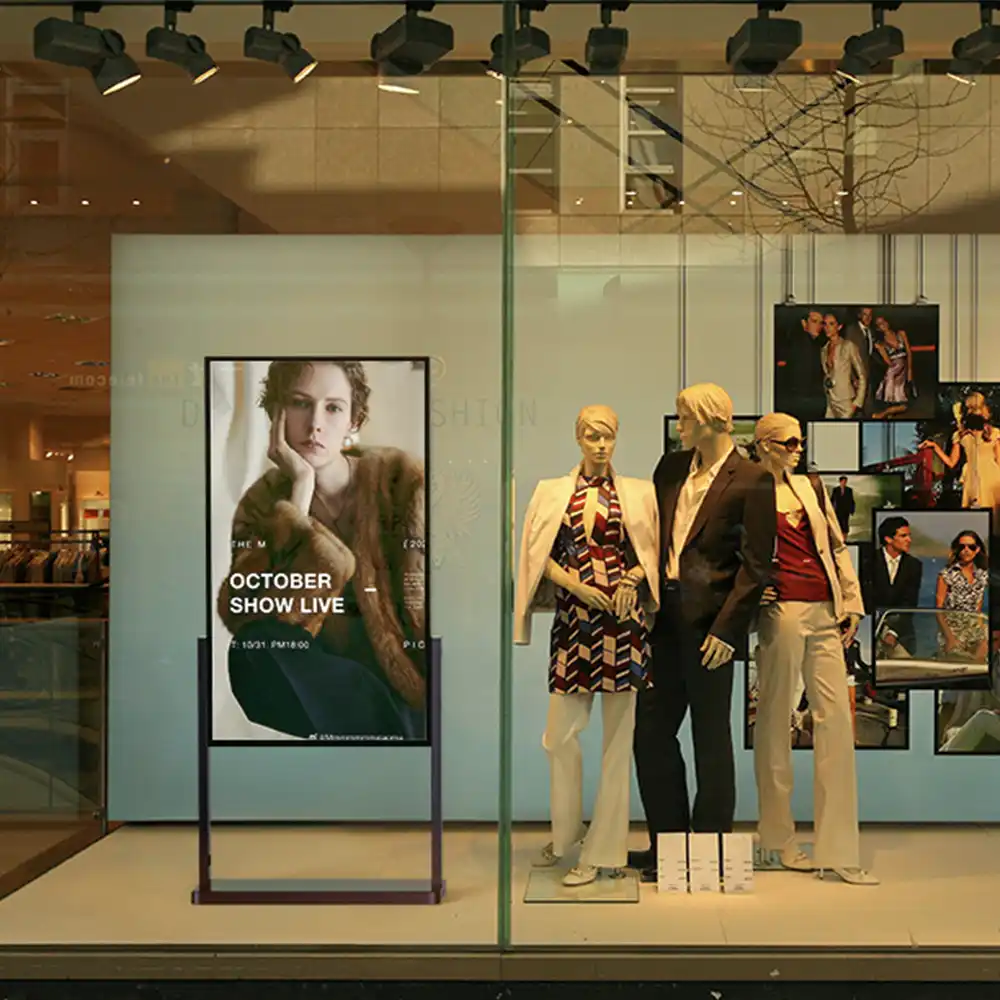
- Shop windows & semi-outdoor: High ambient brightness due to sunlight – displays must be significantly brighter.
- Outdoor use: Direct sunlight, changing weather conditions—only very bright displays remain visible at all times.
Influence on perception and advertising impact
A display that is too dark is easily overlooked, looks unprofessional, and can dilute the brand message. Bright, high-contrast displays attract attention, ensure better readability, and significantly increase the advertising impact.
How is brightness measured?
Nits as a standard measure
For digital signage, the value in nits (cd/m²) is crucial.
- Measurement: The maximum luminance of the display surface is measured using a measuring device (luminance meter).
- Relevance: This value indicates how much light the display emits per square meter.
Brightness ≠ image quality
High brightness alone does not guarantee good image quality. Contrast, color reproduction, and anti-glare coating are also crucial for the overall effect.
Brightness requirements: Practical examples
Indoor displays
Values between 350 and 700 nits are usually sufficient for use in offices, shops, or waiting areas.
- Example: Menu board in a café, information display in a doctor's office.
Semi-outdoor displays
Displays in shop windows, passageways, or entrance areas require between 700 and 2,500 nits, depending on the lighting conditions.
- Example: Advertising display in a sunny shop window, information board at the station entrance.
outdoor displays
For outdoor use—especially in direct sunlight—brightness levels of 2,500 to over 7,000 nits are required.
- Example: Digital advertising pillar on the station forecourt, LED wall on the facade.
What factors influence the optimal brightness of a digital signage display?
The required brightness of a display depends not only on the device itself, but also significantly on the environmental conditions and the specific usage situation. For sound advice in sales, it is important to be aware of these influencing factors and to take them into account in a targeted manner.
Location and orientation
Interior:
- Rooms with little natural light require lower brightness.
- More brightness may be needed near windows or under strong ceiling lights.
Shop window/semi-outdoor:
- Displays facing sunny streets or squares must be significantly brighter than those in shaded areas.
- The direction (south side = more sun) and the angle of the display affect the light exposure.
Outdoor area:
- Direct sunlight, changing weather conditions, and reflections from glass or facades require maximum brightness.
Time of day and weather
- Morning/evening: Lower ambient brightness, less brightness required.
- Noon/summer: Maximum sunlight, highest display brightness requirements.
- Clouds, rain, winter: Less light, but reflections from water or snow can still impair visibility.
Practical tip:
Displays should be designed for the brightest conditions to be expected so that they remain clearly visible even under extreme conditions.
Anti-reflective coating and contrast
Anti-reflective surfaces and high contrast are important additions to brightness:
- Anti-glare coating reduces annoying reflections that can make content illegible.
- High contrast (ratio between the brightest white and darkest black) ensures that content remains clearly visible even in bright ambient light.
Automatic brightness control
Modern digital signage displays often feature integrated light sensors that automatically adjust brightness to ambient conditions.
Advantages:
- Optimal visibility at any time of day
- Energy savings in low ambient light conditions
- Longer service life of the backlight
- Preventing glare in the dark
Recommendation for sales:
Point out the advantages of automatic brightness control to customers—it increases comfort, saves electricity costs, and protects hardware.
temperature management
Very bright displays generate a lot of waste heat, especially outdoors.
- Professional digital signage systems have special cooling systems to prevent overheating and associated failures.
- Good temperature management also significantly extends the service life of LEDs and backlighting.
Technical solutions for maximum brightness
- High-brightness LEDs: Specially developed LEDs enable brightness levels of 2,500 to 7,000 nits and above.
- Optical bonding process: Connects the display and cover glass, reduces internal reflections, and increases light output.
- UV and weather protection: Outdoor displays require special filters and housings to protect the technology from solar radiation and environmental influences.
Sales support materials
1. Visibility means sales:
A display that is not visible misses its purpose—investing in brightness pays off directly through increased attention and advertising impact.
2. Future-proof:
Displays with sufficient brightness remain usable even when relocated or in changing lighting conditions.
3. Energy efficiency:
Modern displays with automatic brightness control consume only as much power as necessary – protecting both the environment and your budget.
4. Durability:
High-quality, bright displays are more robust, fail-safe, and offer better long-term investment security.
Common mistakes when selecting display brightness
Choosing the wrong brightness is one of the most common stumbling blocks in digital signage projects. Resellers and their customers should avoid the following mistakes:
Brightness set too low
- The display is barely legible in daylight or direct sunlight.
- The advertising effect is lost, and the user experience suffers.
- Retrofitting is costly and time-consuming.
Brightness too high for the application
- Unnecessarily high energy costs and increased heat generation.
- Reduced service life of the backlight/LEDs.
- Glare and discomfort for users in dark environments.
No automatic brightness control
- Displays are set too bright at night or in low light conditions.
- Unnecessary power consumption and premature wear.
- Less flexibility in changing lighting conditions.
No consideration of anti-glare and contrast
- Despite high brightness, reflections or poor contrast values can severely impair readability.
- Content appears "blurred" or is only visible from certain angles.
Consultation guide: How to find the right brightness
1. Analysis of the location
- Indoor, semi-outdoor, or outdoor?
- What are the lighting conditions during peak usage times?
- Is there direct sunlight, reflections, or special environmental conditions?
2. Purpose and content of the display
- Is the display used for advertising, information, or interaction?
- How important is legibility from a distance?
- Are fine details, videos, or large, eye-catching content planned?
3. Selection of recommended brightness
| area of application | Recommended brightness (nits) |
|---|---|
| Indoor (no windows) | 350–500 |
| Indoor (with window) | 500–700 |
| Semi-outdoor | 700 – 2,500 |
| Outdoors (shade) | 2,500 – 4,000 |
| Outdoors (sun) | 4,000 – 7,000+ |
4. Check technical equipment
- Does the display have automatic brightness control?
- Is there an anti-reflective coating?
- Is there efficient temperature management?
5. Energy efficiency and sustainability
- How high is the power consumption at maximum brightness?
- Is the brightness automatically reduced when necessary?
- How does brightness affect the display's lifespan?
Checklist for resellers: The most important points regarding brightness
- Location, lighting conditions, and orientation analyzed
- Appropriate brightness selected according to recommendations
- Automatic brightness control taken into account
- Anti-glare coating and contrast tested
- Temperature management and protective functions available
- Customers informed about energy consumption and service life
- Test operation/content preview recommended for critical applications
FAQ – Frequently asked questions about brightness in digital signage displays
How much brightness do I need for a shop window display?
For shop window displays that are exposed to direct sunlight, a minimum of 1,500–2,500 nits should be selected, or better still 3,000+ nits. For north-facing or shaded locations, 700–1,500 nits is often sufficient.
Why is the brightness of a normal TV not sufficient for digital signage?
Consumer TVs usually only have 250–350 nits and are unsuitable for use in bright or public areas. They quickly appear "washed out" and are difficult to read in daylight.
Can I increase the brightness later?
No, the maximum brightness is determined by the hardware. It cannot be increased retrospectively, so it is crucial to make the right choice at the start of the project.
How does brightness affect the display's lifespan?
The higher the brightness is set for continuous operation, the more strain is placed on the backlighting or LEDs. Automatic control and usage according to need extend the service life.
Are there any display types that are particularly bright?
Yes, special high-brightness displays and outdoor LED modules are designed for use in high ambient brightness conditions and achieve values ranging from 2,500 to over 7,000 nits.
Conclusion:
Choosing the right brightness is crucial to the success of any digital signage project. With sound advice, a clear view of the conditions of use, and the right technical expertise, resellers can help their customers optimally combine visibility, advertising impact, and investment security.
Would you like individual advice or further training for your sales team?
Contact us—we can support you with expert knowledge, training, and customized digital signage solutions!